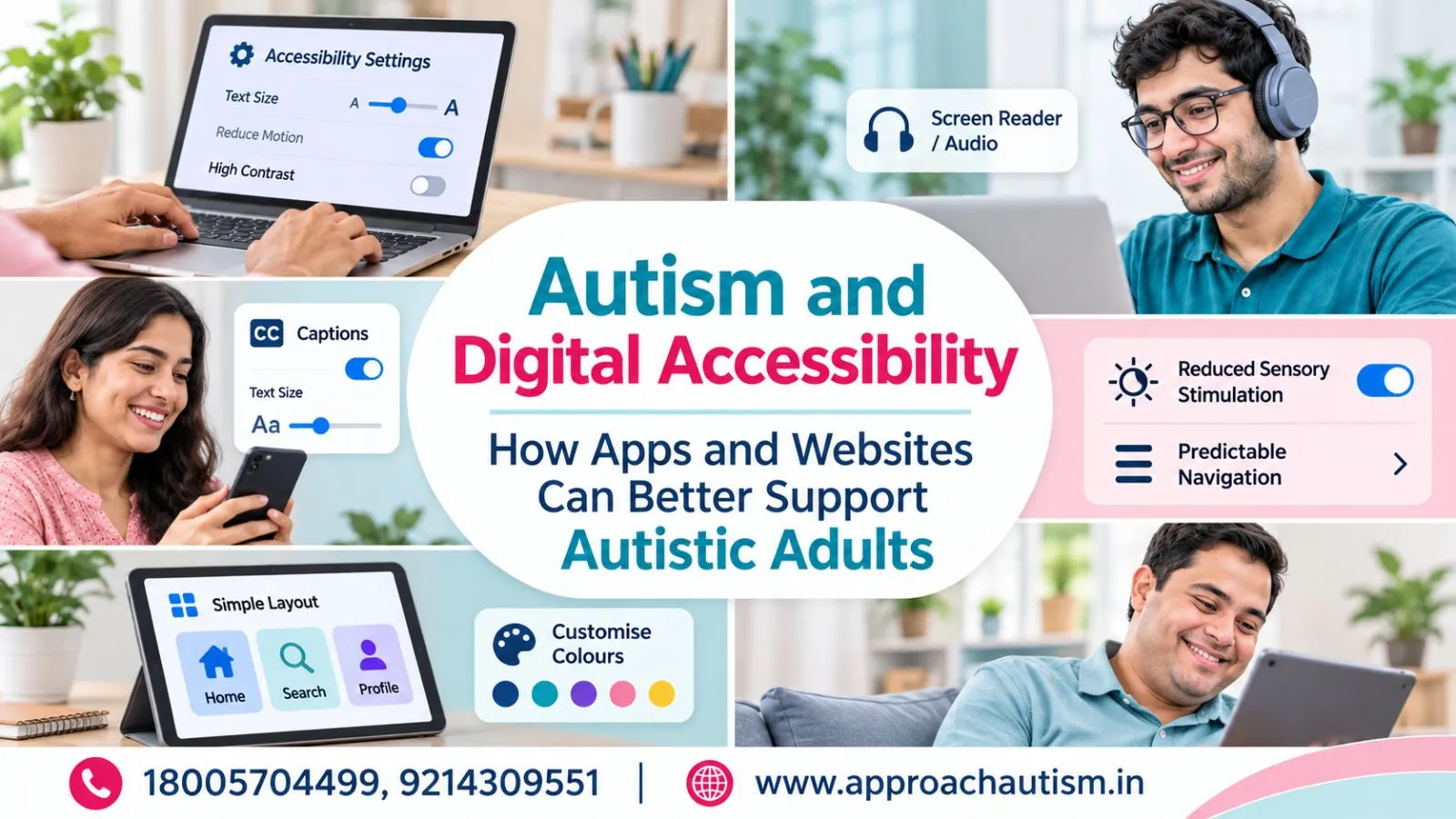
Autism and Digital Accessibility: How Apps and Websites Can Better Support Autistic Adults
-
by
Approach
- No Comments on Autism and Digital Accessibility: How Apps and Websites Can Better Support Autistic Adults
Digital technology plays an important role in everyday life, from accessing information and communicating with others to managing finances, education and employment. However, not every digital platform is designed to meet different cognitive, sensory and communication needs. Autism and Digital Accessibility is an important topic because autistic adults may experience difficulties with complicated navigation, excessive animations, unclear instructions and unpredictable website interactions. Creating accessible digital experiences helps reduce these barriers and makes technology easier to use. With thoughtful design, websites and mobile applications can support greater independence, participation and equal opportunities for autistic individuals.
What Is Digital Accessibility for Autistic Adults?
Digital accessibility means designing websites, applications and online services so people with different abilities can use them comfortably and effectively. For autistic adults, this includes considering sensory preferences, communication styles, information processing and the need for predictable digital experiences.
A website may technically function correctly but still feel difficult to use. For example, flashing advertisements, complicated menus, unclear buttons and lengthy paragraphs can make finding information challenging.
Digital accessibility should therefore go beyond basic technical usability. It should provide clear instructions, consistent layouts, readable content and suitable options for controlling the digital environment.
An accessible platform does not need to look simple or unattractive. It needs to make information understandable and interactions predictable without creating unnecessary barriers.
Why Digital Accessibility Matters for Adults with Autism
Digital platforms influence how people learn, communicate, work and manage independent living. When websites and applications are difficult to understand, autistic adults may face additional challenges accessing services and opportunities.
Digital Accessibility for Autistic Adults can improve participation by making everyday technology more predictable and manageable.
Accessible digital experiences can support several important areas:
- Communication: Clear messaging interfaces can make conversations and information sharing easier.
- Education: Structured online learning platforms can help users understand lessons and complete activities.
- Employment: Accessible job portals and workplace applications can support professional participation.
- Daily living: Reminders, calendars and organised applications can help manage everyday responsibilities.
- Independence: Easy-to-use digital services can reduce unnecessary dependence on others.
Digital inclusion is also important because autistic adults have different strengths, interests and technology preferences. Accessible design should create opportunities rather than assume that everyone needs the same level of assistance.
Common Digital Accessibility Challenges Faced by Autistic Adults
Digital platforms can create difficulties when their design places unnecessary demands on attention, sensory processing or communication. Recognising these barriers is the first step towards developing more inclusive technology.
Sensory Overload from Colors, Animations, and Sounds
Bright colours, flashing advertisements, automatic videos, background music and moving elements can make some websites uncomfortable.
Some autistic users may find rapidly changing visuals distracting, while others may prefer particular colours or visual patterns. These experiences differ between individuals.
Websites should avoid unnecessary animations, provide controls to pause moving content and allow users to adjust visual settings wherever practical.
Complex Navigation and Confusing Website Layouts
Websites with too many menus, inconsistent buttons and complicated navigation structures can make information difficult to locate.
For example, a user trying to find an appointment booking option may become confused if the button changes position across different pages.
Consistent menus, descriptive headings, visible navigation options and clear page structures can reduce this difficulty.
Difficulties with Communication and Information Processing
Long paragraphs, vague instructions, unfamiliar terminology and indirect language may make online information harder to understand.
Some users benefit from short sentences, clearly labelled buttons and step-by-step instructions. Others may prefer visual explanations alongside written information.
Providing multiple ways to access important information can make digital communication more inclusive.
How Can Websites Become More Autism-Friendly?
Creating Autism-Friendly Websites and Apps requires understanding how different people interact with digital information. Designers should consider sensory comfort, predictable navigation and accessible communication throughout the development process.
Simple Navigation and Clear Content Structure
Websites should organise information using meaningful headings, short paragraphs and clearly labelled sections.
Important information should be easy to locate without requiring users to navigate several unnecessary pages.
Helpful design practices include:
- Use consistent navigation menus.
- Keep important buttons clearly visible.
- Organise information into relevant categories.
- Use descriptive labels instead of confusing icons.
- Maintain similar layouts across website pages.
These improvements help users understand where they are and what action they can take next.
Sensory-Friendly Design and Customizable Settings
An accessible website should avoid overwhelming users with unnecessary sensory stimulation.
Designers can provide options for reducing motion, adjusting text size and selecting comfortable colour contrasts. Audio should not start automatically, and users should have control over videos and animations.
Customisation is particularly valuable because one visual setting cannot meet everyone’s preferences.
Clear Language, Visual Support, and Predictable Interactions
Clear communication makes online platforms easier to understand. Instructions should explain what happens when someone selects a button, submits information or completes an action.
Visual schedules, meaningful icons and simple illustrations can support written explanations.
Predictable interactions are equally important. Buttons should behave consistently, forms should explain errors clearly, and websites should avoid unexpected page changes.
How Mobile Apps Can Better Support Autistic Adults
Mobile applications can support communication, organisation, learning and independent living. Their usefulness depends on whether their features match individual needs and remain easy to understand.
Personalized Accessibility Features and User Controls
Useful applications can offer adjustable notification settings, readable text, simple layouts and control over sounds or animations.
Users should be able to choose settings that suit their preferences rather than being forced into one standard experience.
Personalised reminders, clear progress indicators and predictable notifications can also support daily organisation.
Daily Living, Communication, and Independence Tools
Mobile technology can help autistic adults manage different everyday activities.
Examples include:
- Digital calendars for appointments and daily schedules.
- Reminder applications for household responsibilities.
- Communication tools for expressing needs.
- Budgeting applications for managing expenses.
- Learning platforms for developing new skills.
- Task management tools for organising work.
These tools can encourage independence when users understand how to operate them and can customise them according to their abilities.
The Role of Inclusive UX Design in Digital Accessibility
User experience (UX) design focuses on how people interact with digital products. Inclusive UX design considers different abilities, preferences and ways of processing information during the development process.
Autism-Friendly User Experience Design should involve autistic people in research, testing and feedback activities. Designers should not rely only on assumptions about what autistic users might find helpful.
Practical improvements include testing websites with different users, identifying confusing interactions, reducing unnecessary visual distractions and providing clear feedback after actions.
Designers should also recognise that accessibility preferences are individual. Some people prefer minimal interfaces, while others benefit from additional visual information.
An inclusive design process treats accessibility as a fundamental part of product development rather than an optional feature added later.
How Digital Inclusion Supports Independence and Employment
Technology creates opportunities for autistic adults to participate in education, professional activities and online businesses. However, these opportunities become meaningful only when individuals can access and use digital platforms effectively.
Digital skills such as content creation, website development, communication and online task management can support vocational development.
For example, learning website development may create opportunities to participate in digital projects. Similarly, understanding e-commerce platforms can help individuals explore online business activities and product-related work.
Digital employment initiatives can connect technology education with practical livelihood opportunities. Approach Autism Society also focuses on technology-based learning and employment through its Digital Employment initiative, helping computer-literate neurodivergent individuals develop skills and explore earning opportunities through e-commerce.
Such initiatives highlight how technology can become a pathway towards meaningful participation and economic independence. Families and educators can explore Digital Inclusion for Autistic Adults through relevant learning and employment opportunities offered by Approach Autism.
Conclusion
Digital accessibility is essential for creating an inclusive online environment where autistic adults can communicate, learn, work and manage everyday responsibilities with greater confidence. Simple navigation, clear language, sensory-friendly settings and predictable interactions can reduce unnecessary digital barriers.
Websites and applications should recognise individual differences rather than expect everyone to interact with technology in the same way. Involving autistic users in design and testing helps developers create more practical digital experiences.
By combining accessible technology with digital skills training and employment opportunities, communities can support greater independence, participation and inclusion for autistic adults.
Frequently Asked Questions (FAQs)
1. What is digital accessibility for autistic adults?
Digital accessibility means designing websites, applications and online services that are easier for autistic adults to understand and use. It includes clear navigation, readable content, sensory-friendly settings and predictable interactions.
2. How can websites and apps be made more autism-friendly?
Websites and applications can become more accessible through simple layouts, consistent menus, clear instructions, adjustable settings, reduced animations and easy-to-understand communication.
3. What digital accessibility challenges do autistic adults face?
Some autistic adults experience difficulties with excessive animations, complicated navigation, unclear instructions, crowded layouts, unexpected notifications and sensory-heavy digital environments.
4. Which accessibility features are most helpful for autistic adults?
Helpful features may include adjustable text sizes, reduced-motion settings, clear menus, predictable notifications, visual instructions, simple forms and customisable sound settings. Preferences vary between individuals.
5. How can technology support independence and daily life for autistic adults?
Technology can support independence through digital calendars, reminders, communication applications, online learning, budgeting tools and employment platforms. These resources can help individuals organise activities and develop practical skills.